

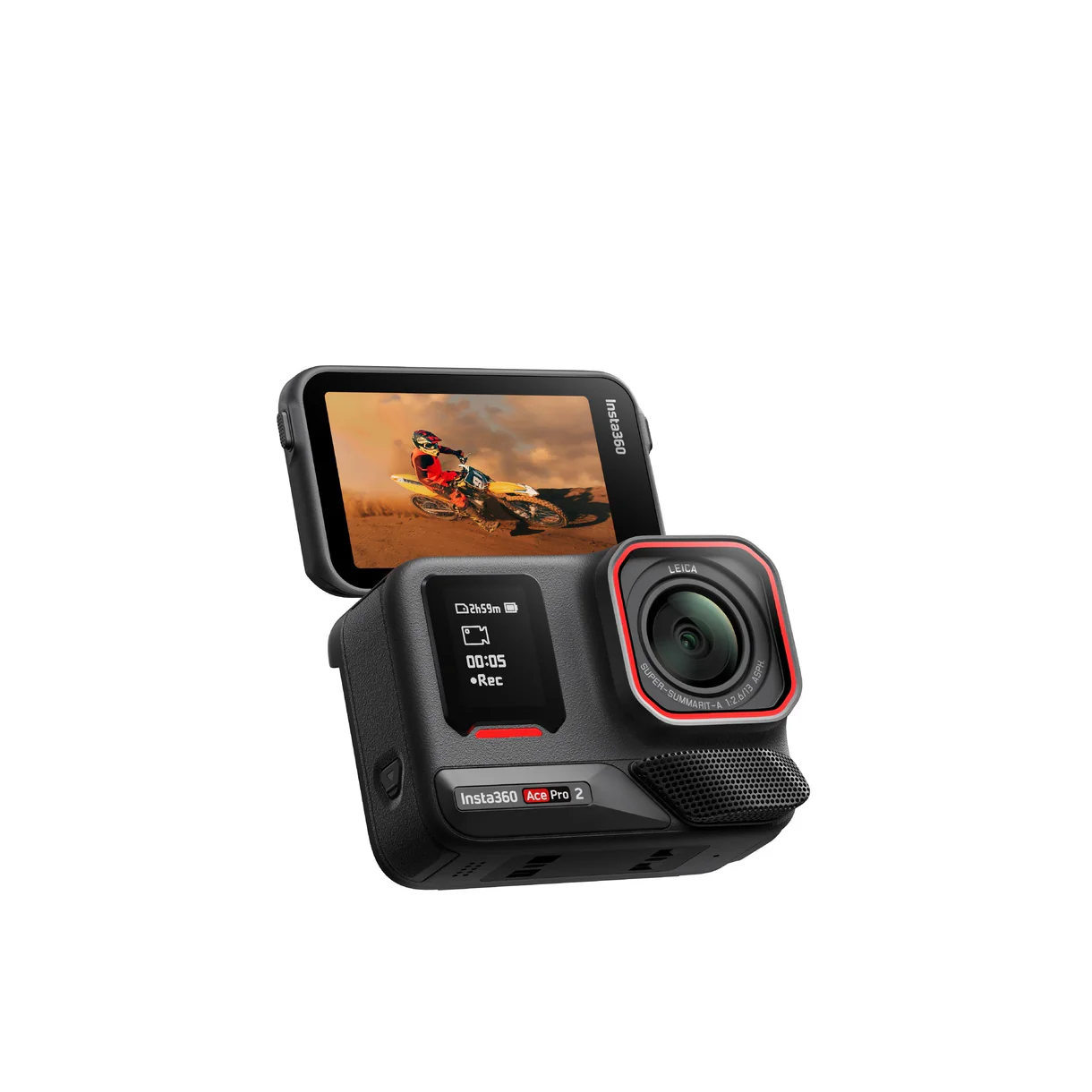
Understanding 360-Degree Photography
What is 360-Degree Photography?
360-degree photography allows you to capture a full panoramic view of a scene, taking in all angles simultaneously. This immersive format enhances storytelling, providing viewers a more engaging experience as they can explore images freely. Unlike traditional photography, which limits perspectives to a single vantage point, 360-degree photography invites users to interact with the environment, creating a sense of presence within the scene.
Benefits of Using an insta360 Camera
The insta360 camera series is designed specifically to optimize this immersive format. Users enjoy a variety of benefits, including:
- High-Quality Imagery: With advanced sensors and lenses, insta360 captures vibrant colors and intricate details, producing crystal clear images.
- Ease of Use: Even beginners can navigate features effortlessly, thanks to intuitive interfaces and user-friendly apps.
- Stabilization Technology: Insta360 cameras come equipped with advanced stabilization, minimizing motion blur and creating smooth footage even in active environments.
- Seamless Sharing: The ability to instantly upload and share immersive content enhances social engagement, attracting more viewers to your work.
Basic Equipment Needed for 360 Photography
To engage in 360-degree photography effectively, having the right equipment is vital:
- Camera: An insta360 camera that meets your specific needs for resolution and features.
- Tripod: A sturdy tripod can provide stability and allow for unique angles and perspectives.
- Editing Software: Programs designed for 360-degree images will help enhance your photos and videos post-capture.
- Protective Gear: Safeguard your camera with protective cases or lens covers when shooting in outdoor settings.
How to Use Insta360 Cameras Effectively
Setting Up Your Insta360 for Best Results
To maximize your insta360 camera’s capabilities, start by securing a solid design plan. Choose locations that benefit from 360-degree perspectives, such as scenic viewpoints or crowded events. Adjust settings based on lighting and the environment. Ensure battery levels are adequate, and consider carrying spare batteries for extended shoots. Familiarize yourself with features like image stitching and the timelapse mode to enhance creative options.
Techniques for Capturing Stunning Images
Capturing engaging content goes beyond merely pressing a button. Here are some techniques to elevate your photography:
- Plan Your Shots: Scout locations in advance to visualize the angles you want to capture, identifying key elements to include in your scene.
- Dynamic Movement: Experiment with movement, such as walking while recording, to create a sense of action and vibrancy.
- Use a Drone: Consider using a drone with your insta360 to achieve elevated perspectives and sweeping vistas.
- Experiment with Lighting: Capture images during golden hours, using natural light to create softer shadows and more dynamic contrasts.
Common Mistakes to Avoid
Even seasoned photographers can fall into traps. Avoid these common mistakes:
- Neglecting the Stitching Line: Be mindful of how you position your camera to ensure no objects get cut off where the images stitch together.
- Ineffective Equipment Usage: Understand your camera’s limits; avoid shooting in extremely low light conditions without additional lighting.
- Ignoring Composition Techniques: Just because you can capture everything doesn’t mean you should; always frame your shots thoughtfully.
Editing Techniques for 360-Degree Photos
Best Software for Editing Insta360 Shots
Editing is integral to enhancing your 360-degree photography. Consider these software options for the best results:
- Insta360 Studio: This is a powerful tool that allows for extensive editing, including stitching, stabilization, and adjusting viewing angles.
- Adobe Premiere Pro: For video editing, Premiere Pro offers a high degree of customization and professional-grade features.
- Affinity Photo: This software provides robust capabilities for image retouching and enhancing photos to meet professional standards.
How to Enhance Colors and Clarity
After capturing images, the editing process can significantly impact their visual appeal:
- Adjust White Balance: Fine-tune your white balance settings to enhance natural colors and avoid overly warm or cool tones.
- Increase Contrast: Adding contrast helps separate elements in your image, making them pop while improving overall clarity.
- Sharpen Details: Use sharpening tools subtly to enhance textures and fine details without introducing noise.
Creating Engaging Virtual Tours
360-degree photography lends itself beautifully to virtual tours. Here’s how to create captivating experiences:
- Plan the Tour: Map out the locations to be included, ensuring they flow seamlessly for the viewer.
- Add Contextual Information: Incorporate text annotations or voiceovers that provide details for each point of interest.
- Interactive Elements: Make use of hotspots that viewers can click on for additional detail, creating a more engaging experience.
Sharing Your Content: Strategies and Platforms
Where to Share Your Insta360 Images
Distribution is key to reaching your audience. Consider the following platforms:
- Social Media: Platforms like Instagram, Facebook, and Twitter are ideal for sharing standout images and engaging followers.
- Virtual Reality Platforms: Websites like VeeR or Roundme specialize in 360-degree content, allowing for immersive sharing experiences.
- Your Website: Adding your 360-degree images to a personal or business website can drive traffic and show off your skills effectively.
Building an Audience for 360-Degree Content
Attracting and maintaining an audience requires dedication:
- Consistent Posting: Regularly update your platforms with new content to keep followers engaged.
- Interact with Audience: Respond to comments, ask for feedback, and encourage audience participation to cultivate a community.
- Join Online Forums: Engage with communities focused on photography and immersive content to broaden your reach.
Engagement Techniques that Work
Here are strategies to increase viewer engagement:
- Use Polls and Questions: Encourage interactions by asking followers what they would like to see next or their favorite shots.
- Live Sessions: Host live Q&A or behind-the-scenes sessions to connect in real-time with your audience.
- Contests and Challenges: Promote user-generated content through contests that inspire creativity and community involvement.
Measuring the Impact of Your Insta360 Content
Metrics to Track Engagement and Reach
To assess the effectiveness of your 360-degree content, track various metrics:
- Views and Impressions: Monitor the number of times your content is viewed across platforms to gauge interest levels.
- Engagement Rates: Calculate how many likes, comments, or shares your posts receive to measure active interactions.
- Follower Growth: Track how your audience grows over time in response to your content strategies.
Assessing Your Content’s Effectiveness
Evaluating content effectiveness requires thoughtful consideration:
- Content Feedback: Analyze comments and feedback for insights into what resonates with your audience.
- Conversion Rates: If applicable, track how many viewers take desired actions, such as visiting a site or signing up for newsletters.
- Continuous Monitoring: Regularly review metrics and be prepared to adjust your strategies to align with audience preferences.
Continuous Improvement: Feedback and Iteration
The journey of an image doesn’t end with a post. Integrate continual improvement by:
- Collecting Data: Use analytics tools to gather data about your content’s performance.
- Seeking Outside Opinions: Reach out to peers or photographers for constructive feedback on your work.
- Iterating Content Strategies: Use gathered insights to refine your approach and experiment with new formats or topics.
FAQs about Insta360 Photography
1. What is an insta360 camera?
An insta360 camera is a specialized device designed for capturing 360-degree photos and videos, offering users the ability to explore scenes from multiple angles.
2. How do I share my insta360 images online?
You can share your insta360 images by uploading them to social media platforms, virtual tours, or directly on your website to reach your audience effectively.
3. Can I edit insta360 images?
Yes, you can edit insta360 images using specialized software like Insta360 Studio and other editing tools for enhancing colors, clarity, and overall composition.
4. What are the common mistakes in 360 photography?
Common mistakes include ignoring the stitching line, ineffective equipment usage, and poor composition. Being aware of these can improve your results.
5. How can I measure audience engagement?
To measure audience engagement, track metrics like views, likes, comments, shares, and follower growth on your social media platforms or website.